
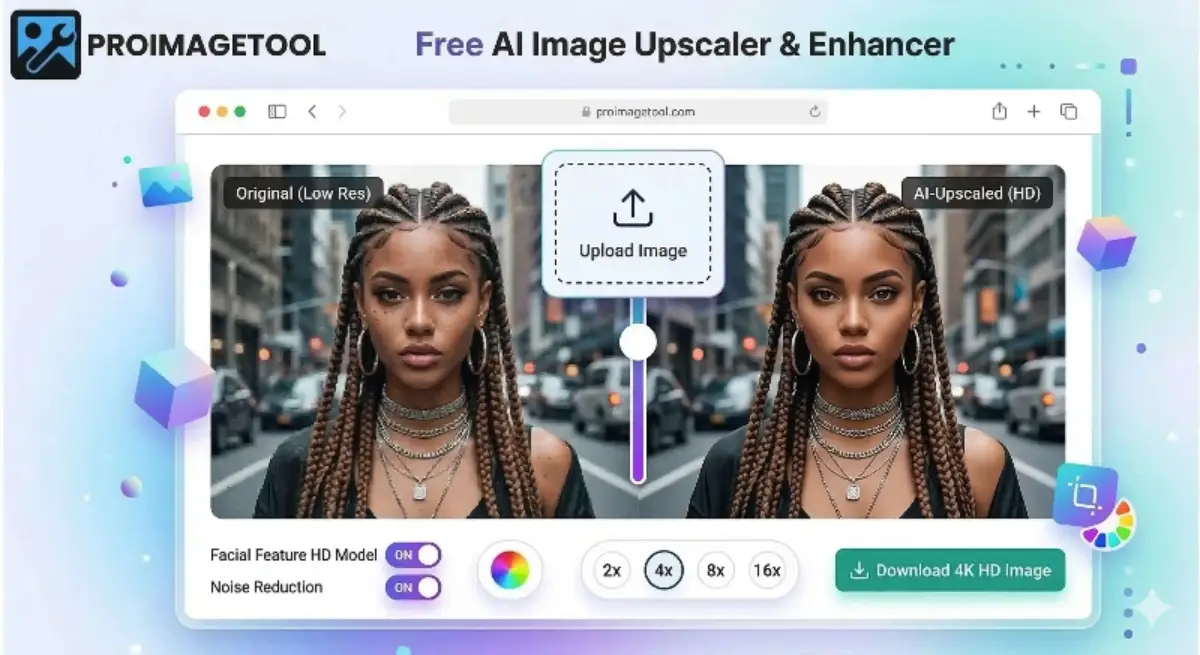
The Ultimate Guide to AI Image Upscaling
In the modern digital era, the demand for high-definition visuals is skyrocketing. Whether you are a professional photographer, a digital marketer, or a casual social media user, you have likely encountered the frustration of a low-resolution, blurry photo. This is where a reliable, free AI photo upscaler becomes an essential tool in your creative arsenal. At ProImageTool, we have developed an advanced online utility that allows you to transform small, pixelated images into stunning high-resolution masterpieces without spending a single penny.
In this comprehensive guide, we will dive deep into the world of Artificial Intelligence, image processing, and how you can easily increase your image resolution for free using our state-of-the-art V3 Engine. We will cover everything from technical neural networks to practical printing tips using 300 DPI settings.
1. Understanding AI Upscaling vs. Traditional Resizing
For decades, enlarging a photo meant using simple mathematical algorithms like Bicubic Interpolation. If you have ever used traditional software to scale up a small photo, you know the result: a blurry, "soft" mess where the edges look like stairs. This happens because traditional software doesn't know what the missing pixels should look like; it merely stretches the existing ones. You can read a detailed history of image scaling on Wikipedia to understand how far the technology has come.
A modern AI upscaler utilizes Neural Networks. Our AI has been trained on millions of images to understand textures, edges, and complex patterns. When you process your file, the AI essentially "reconstructs" the image. It recognizes that a blurry line is supposed to be a strand of hair or the edge of a building and redraws it in high definition. This is the secret behind how we significantly improve visual clarity while scaling.
2. Why Choose ProImageTool for Upscaling?
The internet is full of "free" tools that come with hidden catches. Some limit your daily uses, while others force you to register. ProImageTool was built to disrupt this practice. Here is why our platform is highly rated by professionals:
- No Watermark, Ever: We provide a completely watermark-free upscaling experience. We believe your art is yours, and we will never ruin it with forced branding.
- Strict Privacy (Zero Login): Most tools upload your photos to their external servers. ProImageTool is a login-free utility that works 100% on the client side. Your photos never leave your device.
- Browser-Based WebGPU Power: By using the latest Hugging Face Transformers.js technology, we utilize your device's GPU for lightning-fast processing right inside your browser.
- Professional DPI Control: We don't just add pixels; we modify the metadata. You can manually set your image to 300 DPI, making your photos instantly ready for commercial printing.
3. Step-by-Step Guide: How to Enhance Your Photos
Using our platform is as easy as clicking a button. Follow these steps for the absolute best results:
Step 1: Select Your Upscale Ratio
Choose between 2x (for quick enhancements) or 4x (for massive HD enlargements). Our 4x model is a heavy-duty option designed for serious print quality.
Step 2: Drag & Drop
Simply drop your file into the workspace box. We accept JPEGs, PNGs, and modern WebP formats seamlessly.
Step 3: Fine-Tune with Sliders
Once processed, use the Smooth Edges slider to remove noise and the Enhance Sharpness slider to bring out hidden details. This is crucial when recovering very old, low-quality source files.
Step 4: Set DPI and Download
Select 300 DPI for printing purposes or 72 DPI for digital web use. Click Download, and your high-resolution result is securely saved!
Internal Recommendation: If you are preparing photos for social media profiles or official documents, you might also like our Circle Image Cropper.
4. Advanced Features: Solving the "Blurry Pixel" Problem
One common complaint with AI generation is that the output can sometimes look too smooth or "plastic." To solve this, ProImageTool gives you manual control via our dual-slider system. Sometimes, an AI might over-smooth a face or a natural texture.
By using the Smooth Edges (Denoise) control, you can fix broken artifacts often found in highly compressed WhatsApp images. After smoothing, apply the Enhance Sharpness slider. This applies a convolution matrix that mathematically detects edges and darkens them, creating a satisfying visual "pop" effect. This precise level of control is why professional designers use our tool for their daily workflows.
5. Popular Use Cases: Who Needs This Tool?
Our user community is incredibly diverse, utilizing our upscaler for various professional and personal reasons:
- E-commerce Owners: If your product photos are small, use our 4x engine to make them look premium. A high-resolution photo significantly increases buyer trust and sales.
- Anime & Manga Fans: Much like the famous Waifu2x engine, our tool is excellent at cleaning up 2D art and illustrations, making it perfect for creating desktop wallpapers.
- Old Photo Restoration: Have you scanned an old photograph from the 1990s? Use our platform to increase its resolution and bring back those family memories in HD.
- AI Art Enhancements: Generators like Midjourney and DALL-E often produce small files. Use ProImageTool to scale them up and get them print-ready.
6. Frequently Asked Questions (FAQs)
Is this tool free for commercial use?
Yes, ProImageTool is a 100% free utility. You can use the generated high-resolution images for your business, website, or marketing materials without any legal issues or licensing fees.
Can I set my image to 300 DPI for printing?
Absolutely. Most commercial printers require 300 DPI for sharp results. Our tool allows you to select this specific setting before downloading, ensuring your file prints perfectly on paper or canvas.
Why is a login-free platform better?
Login-free tools are faster and prioritize your privacy. By choosing a platform like ours, you ensure that no one is tracking your data, harvesting your email, or storing your personal photos on an external database.
How long does the processing take?
Because the AI runs entirely in your browser, the rendering speed depends on your local hardware (specifically your GPU). Typically, modern devices complete the task in anywhere from 2 to 10 seconds.
Does this work on mobile phones?
Yes, ProImageTool is fully responsive. You can use it on Android or iOS devices to enhance your photos directly from your smartphone's gallery.
Ready to enhance your photos? Scroll up and experience the power of ProImageTool!